

Simple Compliance
For Busy People
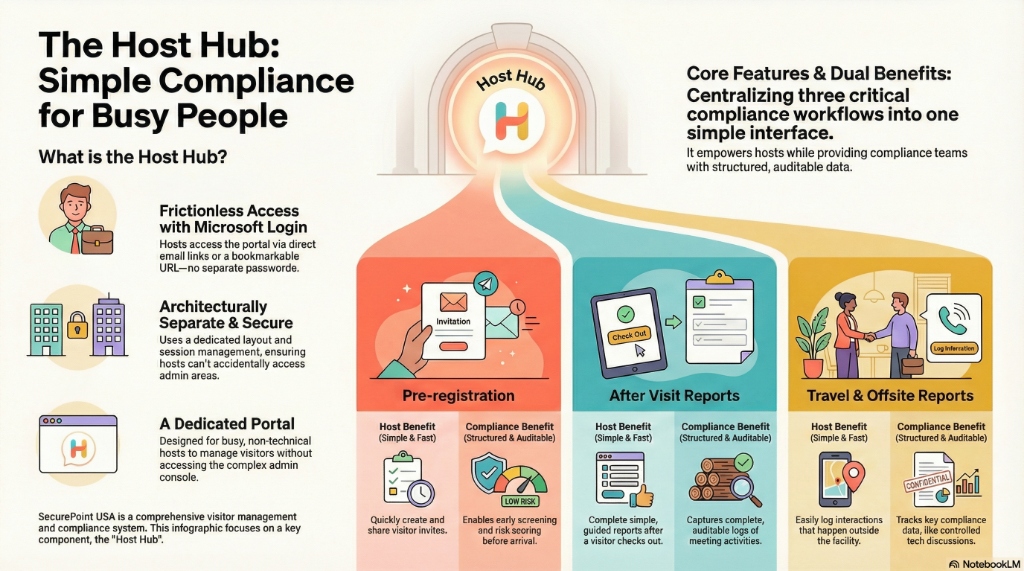
Frictionless Access
Hosts sign in using their existing Microsoft identity. No new passwords to remember, no complex IT overhead.
Dedicated Portal
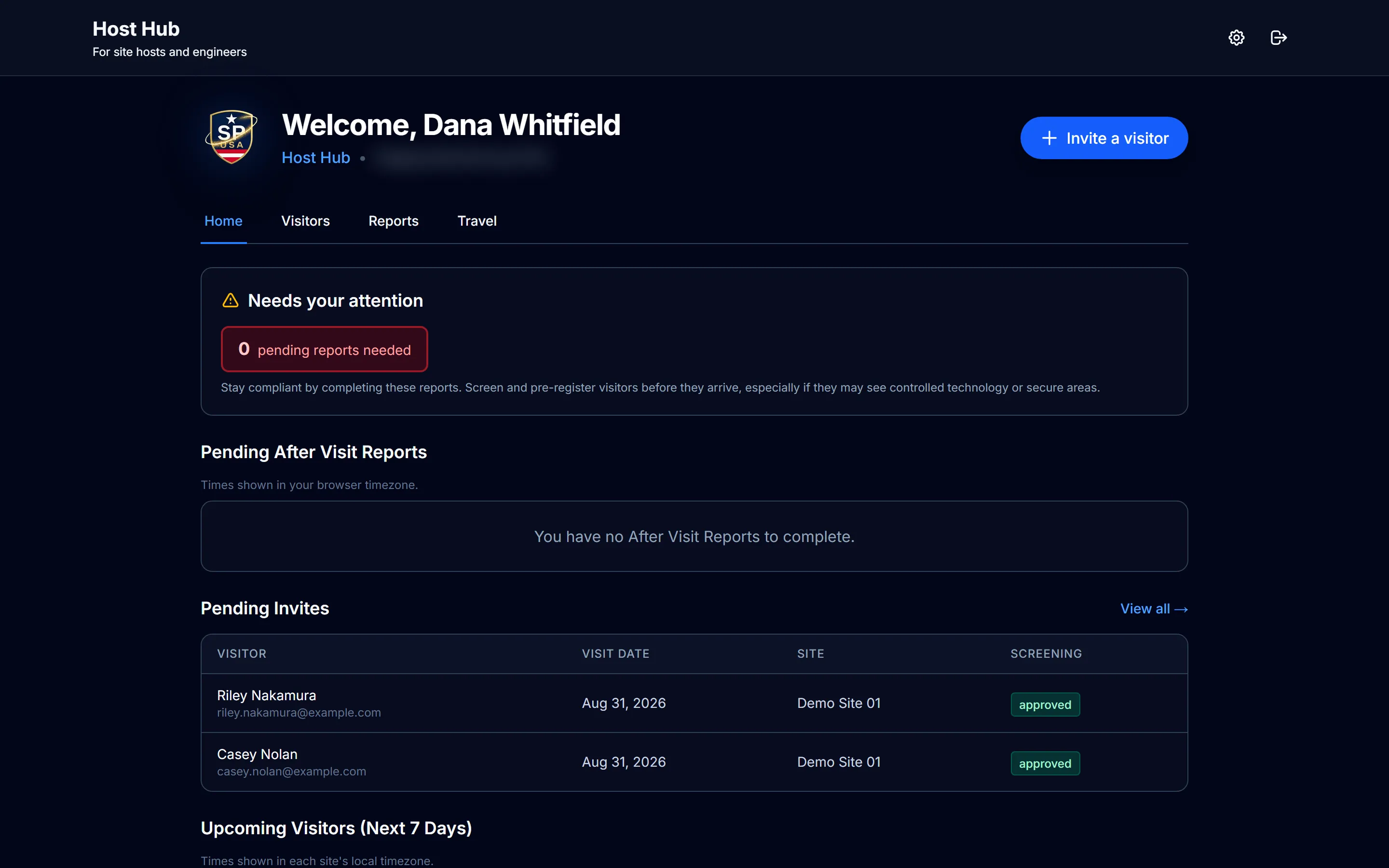
A clean, focused interface at HostHub.trade. Hosts manage only their visitors without seeing sensitive admin data.
Dual Benefits
Hosts get speed and autonomy; compliance teams get clean data and automated pre-screening before arrival.
Swipe to pan the screen
Decentralize Your
Visitor Workflow
Admins shouldn't be bottlenecked by visitor lists. Host Hub puts the tools in the hands of the people actually meeting the visitors.
Repeat Visitors
Invite someone again by picking them from your previous visitors, or re-invite a past registration for a new date.
Scoped Access
Hosts only see their own visitor history and upcoming invites. Total privacy by design.
Simple Invites
Invite a single visitor with just a name and an email address.
Auto-Integration
Pre-registered data flows directly to your kiosk and adjudication queue.
Watch a visitor get pre-registered
From the host’s invite to the visitor’s phone, the screening, the QR code and the kiosk.
Read the transcript
Hosts invite their own visitors from Host Hub, with the date and time of the visit and what the visit requires, like the NDA.
The visitor gets a link by email. On their phone, they add their details and capture their ID if the site asks for it. Sites that require the NDA at every visit have them sign it at check-in.
When they submit, SecurePoint screens them against sanctions and restricted-party lists. If a name needs a closer look, a reviewer can decide before the visitor arrives.
Once they're cleared, their QR code arrives by email, and their host is told.
On the day, the front desk sees them under Expected Today.
At the kiosk, they scan the code, and their details are already filled in from the invitation.
When they're checked in, their host gets an email that their visitor has arrived.
SecurePoint Visitor. Screen visitors at check-in, and keep the decisions on record.
How to invite a visitor
Step by step in Host Hub, from a new invite to the QR code your visitor gets once they’re cleared.
Read the transcript
Step 1. Open Host Hub and start a new invite.
Step 2. Enter your visitor's name, email and company, then the date and time of the visit.
Step 3. Pick the purpose, and tick what the visit requires, like the NDA. Then send it.
Step 4. Your visitor gets an email link. On their phone, they add their details, and their ID if your site requires it.
Step 5. When they submit, SecurePoint screens them. Once they're cleared, their QR code for the kiosk arrives by email.
Screen visitors at check-in. Keep the decisions on record.
Exactly How It Works
One unified workflow for hosts and compliance teams.
Built for Compliance
Most "host apps" are security holes. Host Hub is a secure extension of your governance program.
Silent Screening
Each visitor is screened against sanctions lists when they complete their registration. Hosts see the screening status, not the match details.
Smart Notices
Visitors receive branded, site-specific email invites with QR codes and NDA links.
Fast Sync
Once a host sends an invite, it's ready at the kiosk quickly, depending on network conditions.
Modernize Your
Host Experience
Experience the defense-grade platform that turns physical security into a strategic compliance advantage.
Frequently asked questions
What can a host see in Host Hub?
Only their own visitors. A host sees the people they invited, the reports still outstanding, and the invite action. Administrative data and other hosts' visitors are not exposed to them.
Do hosts need an account to use it?
A host can reach their portal through a link sent to them, and Microsoft Entra ID single sign-on is supported where an organization uses it. Hosts are not required to hold a full platform seat to invite a visitor or file a report.
What happens if a host never files their after-visit report?
Outstanding reports stay visible at the top of the host's portal rather than disappearing into an inbox, and the visit record shows the report as still open. What is missing stays visible instead of being remembered.
Does the host decide whether a flagged visitor gets in?
No. A possible sanctions or restricted-party match routes to an authorized reviewer in the adjudication queue, not to the host. Hosts attest to purpose and sponsorship; they do not clear screening holds.