
CMMC Level 2 and DFARS
Physical-access evidence for CMMC Level 2 and DFARS.
SecurePoint records who visited, who escorted them, what screening found and who decided, in an append-only, hash-chained audit trail. Export it as an evidence pack for the date range and sites your assessor asks about.
Phase 1 self-assessment is in force today; DoD suspended Phase 2 on July 13, 2026 pending a program review, and the physical-access evidence is required either way. Verify current status at dodcio.defense.gov before relying on a date.
Pictured: the kiosk and a badge printed by SecurePoint, from a demo organization with fictional visitors.

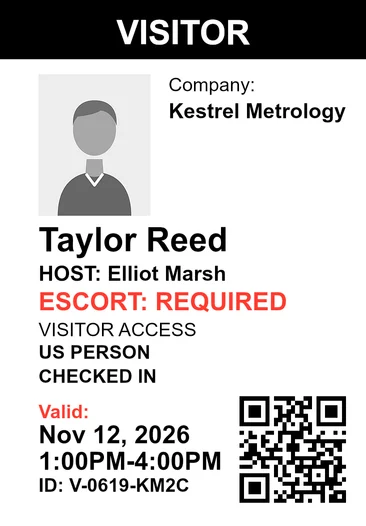
- Direct evidence for 3.10.3 and 3.10.4
- Visitor escorts and visitor access logs, recorded on every visit.
- Supporting evidence for 3.10.1 and 3.10.5
- Authorization and badge records, alongside your own controls.
- Append-only audit trail
- SHA-256 hash-chained. Application users can't edit or delete it.
- No badge until the checks clear
- Pending reviews, missing NDAs and incomplete screening stop the print.
- 10-year decision records
- Screening and review records can't be deleted for 10 years.
- Evidence packs with checksums
- Pick the date range and sites. The pack exports with SHA-256 checksums.
NIST SP 800-171, Physical Protection
Where visitor evidence lands, and where it stops.
CMMC Level 2 assesses six Physical Protection requirements against your organization, not against a vendor. Visitor records are direct evidence for two of them, support two more, cover one in part, and do not address the sixth.
| Requirement | Evidence | What SecurePoint records |
|---|---|---|
| PE.L2-3.10.1Limit physical access to authorized individuals. | Supporting | Pre-registration approval, host authorization and ID capture show who was authorized, and the badge waits for the evidence the site requires. Your facility enforces the physical boundary. |
| PE.L2-3.10.2Protect and monitor the physical facility. | Partial | Shows who is on site and for how long, and flags overdue check-outs. It does not monitor the facility itself: there is no CCTV or access-control integration and no location tracking. |
| PE.L2-3.10.3Escort visitors and monitor visitor activity. | Direct evidence | Escort assignment is recorded against the visit, with escort start and end. Where a site requires an escort, the badge waits for one. |
| PE.L2-3.10.4Maintain audit logs of physical access. | Direct evidence | Visitor access, not your employee badge system. An append-only, hash-chained audit trail that application users cannot edit or delete, with a verifier that checks the chain. Exportable for assessor review. |
| PE.L2-3.10.5Control and manage physical access devices. | Supporting | Badge issuance is recorded against the visit and exports with it. Badge return, badge stock and any electronic credential system stay under your control. |
| PE.L2-3.10.6Enforce safeguarding measures for CUI at alternate work sites. | Not claimed | Concerns alternate work sites. Per-site configuration for the facilities SecurePoint runs in is not the same thing, and we do not claim it. |
How the evidence is produced.
Two templates cover the CMMC evidence for the date range and sites you select: the CMMC L2 PE Visitor Evidence pack (visit activity, escorts and badges) and the CMMC L2 Audit Pack (screening activity, adjudication decisions and the audit trail). The CMMC Level 2 evidence pack is an add-on on every plan.
The badge waits for the evidence.
Each site's security profile sets what a visit needs: host approval, ID capture, an NDA or safety briefing, an escort. Until those are on the visit and screening has cleared, the badge does not print.
Only a staff role allowed to override can print past a missing step, and it takes a written reason. A required escort can't be skipped that way.
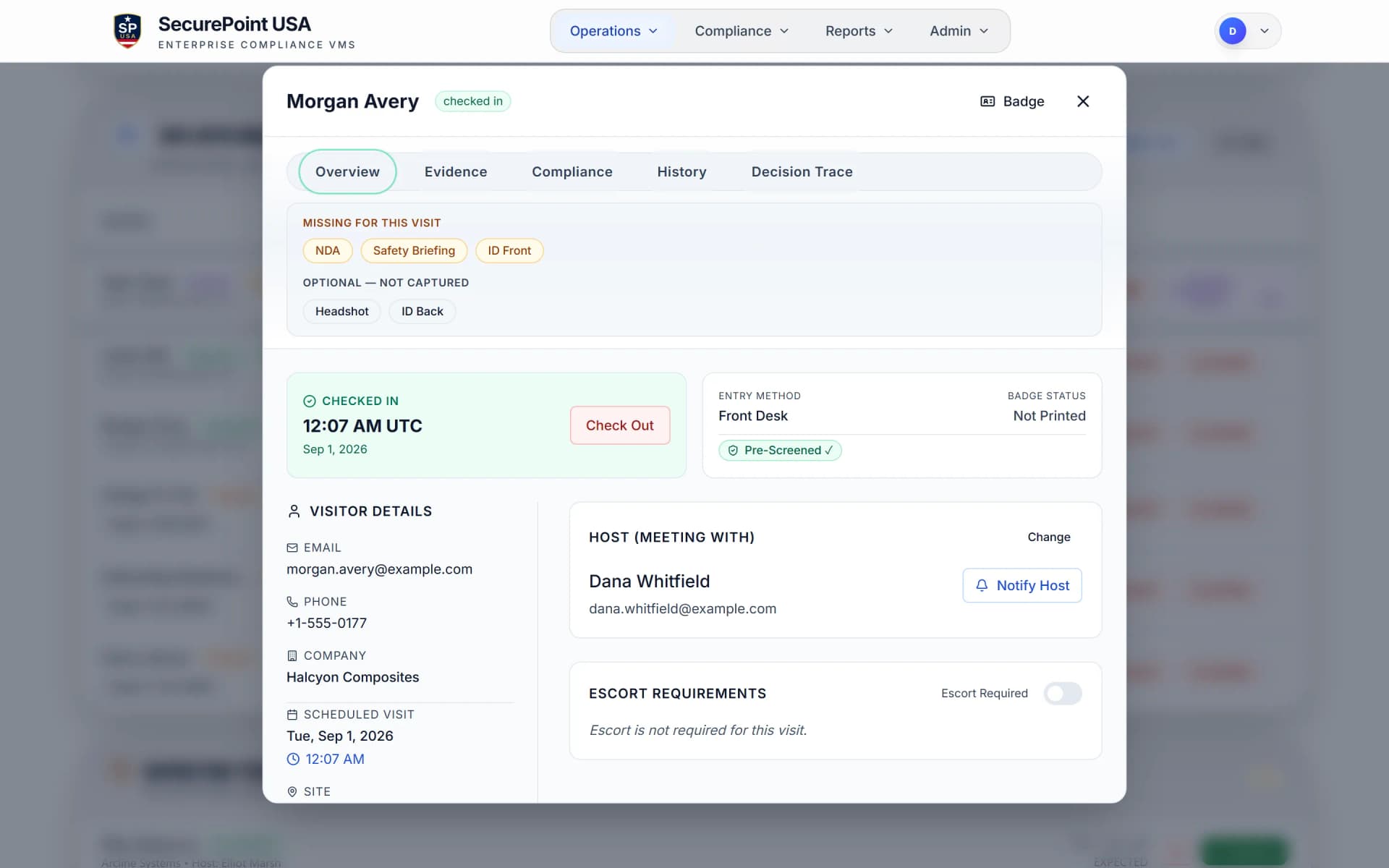
Escorts on the record, not on a clipboard.
At an ITAR-controlled site, a foreign national can't be admitted until an escort is assigned, and the host verifies them at the kiosk. Escort assignment, start and end are recorded and export with the visit.
Requirements are set per site. The drawing shows the default posture for a site marked ITAR-controlled.
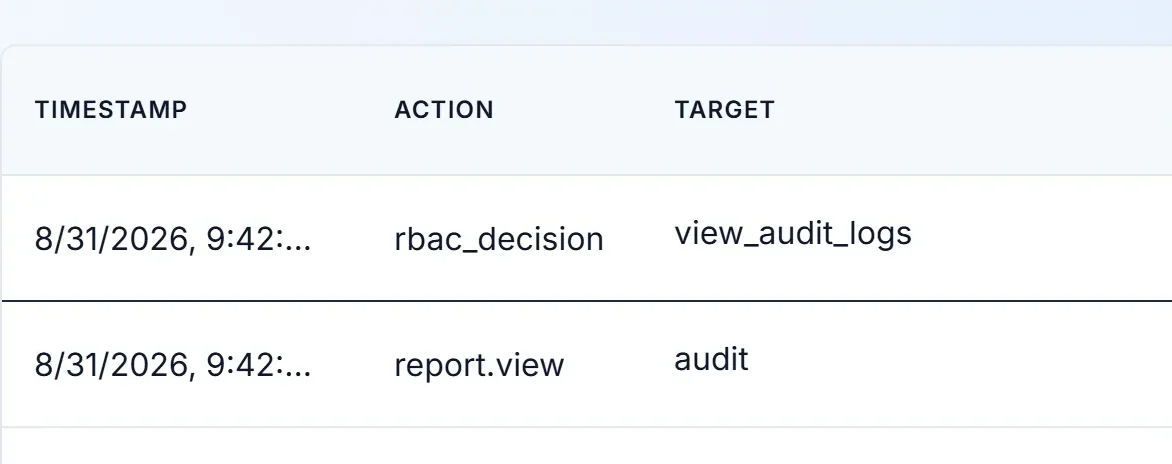
A physical-access log application users can't edit.
Check-ins, host approvals, screening decisions, badge prints and check-outs land in an append-only audit trail that application users cannot edit or delete. Each row is hash-chained to the one before it, and a verifier checks the chain every day and again when a pack that includes the audit trail is exported.
For your security review.
Each line says whether a control is built in, documented, or still planned. SecurePoint does not claim CMMC certification or FedRAMP authorization.
| Area | Status | What it means |
|---|---|---|
| Sign-in and access | Built in | Microsoft Entra ID single sign-on on every plan, MFA enforced by organization policy, and role-based permissions. |
| Hosting and data | Built in | The application runs on Vercel and the database on Supabase, both in U.S. West regions. Each organization's data is separated by row-level security. |
| Audit trail | Built in | Append-only audit log, SHA-256 hash-chained, with an integrity check every day. |
| Record retention | Built in | Screening and review records can't be deleted for 10 years. |
| SOC 2 Type II | Not certified | Controls are mapped to the Trust Services Criteria. The Q3 2027 target is not a commitment. |
| Penetration test | Planned | No third-party test has been performed yet. Internal security review is ongoing. |
Related reading
Bring your assessment scope. We'll walk the evidence.
We'll check in a visitor, hold a possible match, assign an escort and export the pack, so you can see what your assessor would receive.
Frequently asked questions
- Does SecurePoint make our organization CMMC compliant?
- No. CMMC compliance is a program you run and an assessment you pass. SecurePoint is one internal control inside that program: it screens visitors, records host and escort assignment, gates badge issuance, and produces the physical-access records an assessor can review.
- Which controls does visitor management actually touch?
- Not all of them, and not equally. SecurePoint produces direct evidence for PE.L2-3.10.3 (escort visitors and monitor visitor activity) and PE.L2-3.10.4 (maintain audit logs of physical access). It supports PE.L2-3.10.1 and PE.L2-3.10.5 without being sufficient for them alone, contributes only partially to PE.L2-3.10.2, and does not address PE.L2-3.10.6, which concerns alternate work sites. Confirm your scope with your C3PAO.
- Does SecurePoint satisfy DFARS 252.204-7012 for us?
- No. The clause obligations sit with your organization. SecurePoint produces physical-access evidence supporting the safeguarding and audit expectations, and the records that let you show the control operated. Confirm your clause scope with counsel and your contracting officer.
- What does an assessor actually receive?
- Evidence packs for the date range and sites you select, exported with SHA-256 checksums. The CMMC L2 PE Visitor Evidence pack holds visit activity, escort and badge records; the CMMC L2 Audit Pack holds screening activity, adjudication decisions and the audit trail.
- Is a sign-in sheet enough for the physical protection controls?
- A sign-in sheet records that someone signed in. The PE controls also ask you to show that visitors were escorted and monitored, that access devices were controlled, and that a durable audit log of physical access exists. What satisfies your assessor depends on your scope, so confirm it with your C3PAO.