
Integrations
What SecurePoint connects to, and what it doesn't.
Staff sign in with Microsoft Entra ID, visit emails carry calendar files, review alerts can post to Slack or Microsoft Teams, and approved customers can use the API. Each integration below is marked available, in development or not offered.
- Microsoft Entra ID sign-in
- On every plan. Roles are assigned in SecurePoint.
- Slack and Teams review alerts
- Posted through an incoming webhook your admin adds.
- Calendar files in visit emails
- An Add to calendar link opens an .ics invitation.
- Kiosk app for iPad and Android
- On the App Store and Google Play in the United States.
- Brother QL-820NWB printing
- With DK-2251 labels. SecurePoint Supported.
- API for approved customers
- SecurePoint turns it on and issues the keys.
Available today.
Each of these works in the product now. Plan and setup requirements are in the detail column.
| Integration | Status | What it does |
|---|---|---|
| Microsoft Entra ID sign-in | Available | Staff sign in with their Microsoft work account, on every plan. Roles are assigned in SecurePoint; check your tenant's sign-in and MFA policies during setup. |
| Email notifications | Available | Visitor invitations, pre-registration confirmations and host arrival emails. |
| SMS host alerts | Available by plan | Optional host-arrival texts on plans with SMS, depending on organization settings, recipient preferences and quota. |
| Slack and Microsoft Teams | Available | Screening and review alerts posted to a channel through an incoming webhook your admin configures. They are one-way alerts. |
| Calendar invitation files | Available | Visit emails include an Add to calendar link for an .ics file that Outlook and other calendar apps open. |
| SecurePoint Kiosk app | Available | For iPad and Android tablets, on the App Store and Google Play in the United States, or run the kiosk in a browser. A tablet is paired with a setup code, without a staff sign-in. |
| Badge printer | Available | The Brother QL-820NWB with DK-2251 labels, SecurePoint Supported, printing from the kiosk app, a browser or the PC Print Connector. |
| ID capture | Available | The kiosk and the desk capture the ID image. At the kiosk, hands-free capture reads the barcode, passport lines or front text on the device to fill in the form, and a browser kiosk sends the front of the ID to an AI provider instead. Both are on unless the organization turns them off, the visitor is asked to check what fills in, and the AI provider is on the subprocessors page. |
| REST API | Available on approval | Check-in, prescreen, ownership checks and screening results, with scoped API keys and quotas. SecurePoint turns it on for your organization; it isn't self-service. |
| API keys | Available on approval | With API access, admins create keys in Admin. Keys expire after 90 days, and rotation is available through the API. |
| Roster sync API | In development | Pushing rosters by API is not available yet. Rosters import as a CSV today. |
| Review decisions by API | Available on approval | Record a cleared, escalated or denied decision on a review case from your own system. It needs the API's evidence and adjudication add-on, and no customer integration runs on it yet. |
In development.
Integrations SecurePoint is working on. Neither is available yet, so ask for current status before planning around one.
| Integration | Status | What it means |
|---|---|---|
| Brivo Access Control | In development | SecurePoint is researching an integration with Brivo access control. It is not available, and no release date is set. |
| Outbound webhooks | In development | Event notifications sent to an endpoint you run, for check-ins, screenings and review decisions. Not available to customers yet. |
Not offered.
Buyers ask about these. SecurePoint does not offer them today.
| Integration | Status | What it means |
|---|---|---|
| Other sign-in providers | Not offered | SAML, identity providers other than Microsoft Entra ID, and SCIM user provisioning. |
| Door access and cameras | Not offered | Apart from the research listed under In development, SecurePoint does not connect to door controllers, badge readers or cameras. Visitor badges are printed labels. |
| Calendar sync | Not offered | No two-way sync with Outlook or other calendars. Visit emails carry an .ics file instead. |
| HR, ERP and GRC connectors | Not offered | No packaged connectors. Rosters come in by CSV or through the roster sync API. |
At the front desk.
The devices and the host tools most sites set up first.
A tablet kiosk and a label printer.
The SecurePoint Kiosk app for iPad and Android tablets is on the App Store and Google Play in the United States. Badges print on the Brother QL-820NWB with DK-2251 labels, which SecurePoint supports, from the kiosk app, a browser, or the PC Print Connector.


Hosts invite from Host Hub.
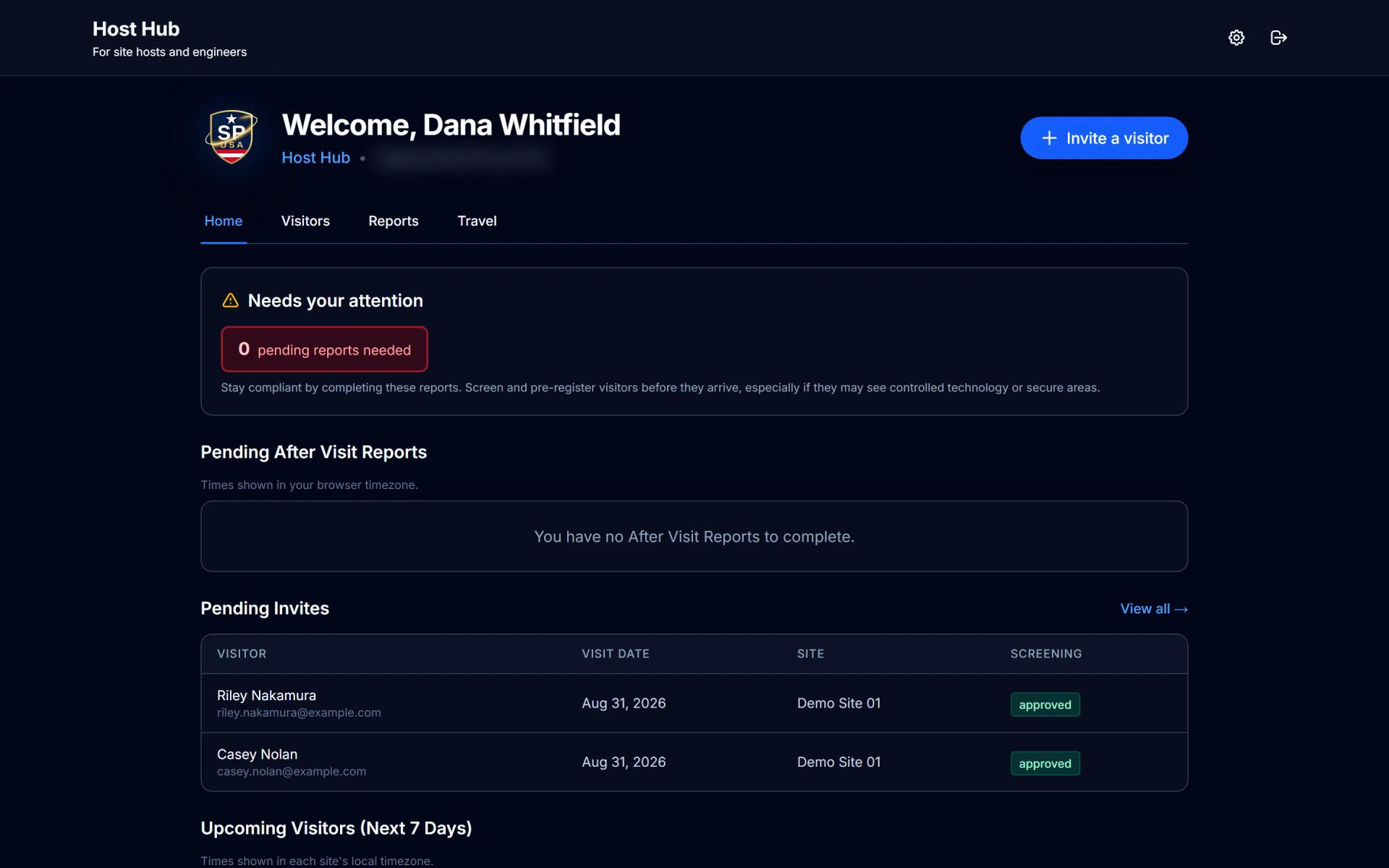
Hosts sign in with a password from their invitation, or a work Microsoft account where your organization uses one, and invite their own visitors from Host Hub. Visit emails include an Add to calendar link, and hosts file after-visit reports from the same portal.
Related
Bring your integration list.
Tell us what your site runs. We'll show you what connects today and what doesn't.
Frequently asked questions
- Which identity provider does SecurePoint support?
- Microsoft Entra ID, on every plan. Staff roles are assigned in SecurePoint. SAML, other identity providers and SCIM provisioning are not offered. Confirm your tenant sign-in and MFA policies during implementation.
- How do hosts get notified when a visitor arrives?
- By email, and by text on plans with SMS, subject to setup and recipient preferences. Slack and Microsoft Teams incoming webhooks carry screening and review alerts.
- Can SecurePoint push events into our own systems?
- Not yet. Outbound webhooks are in development and not available to customers. Approved API customers can fetch screening results by ID and record review decisions through the API.
- Is the screening API open to self-service signup?
- No. API access is enabled per organization rather than through public self-service. The endpoints authenticate with an issued key and carry quotas.
- Does SecurePoint connect to our door access or camera system?
- No. SecurePoint does not connect to door controllers, badge readers or cameras today. One access-control integration is being researched and is listed under In development; it is not available.