
Firearms and ammunition
Visitor management for firearms and ammunition facilities.
SecurePoint captures a signed, timestamped visitor record at every check-in, screens visitors against government sanctions and denied-party lists, and holds a possible match for a reviewer. It is not your bound book, and it is not a NICS check.
Pictured: the kiosk and a badge printed by SecurePoint, from a demo organization with fictional visitors.
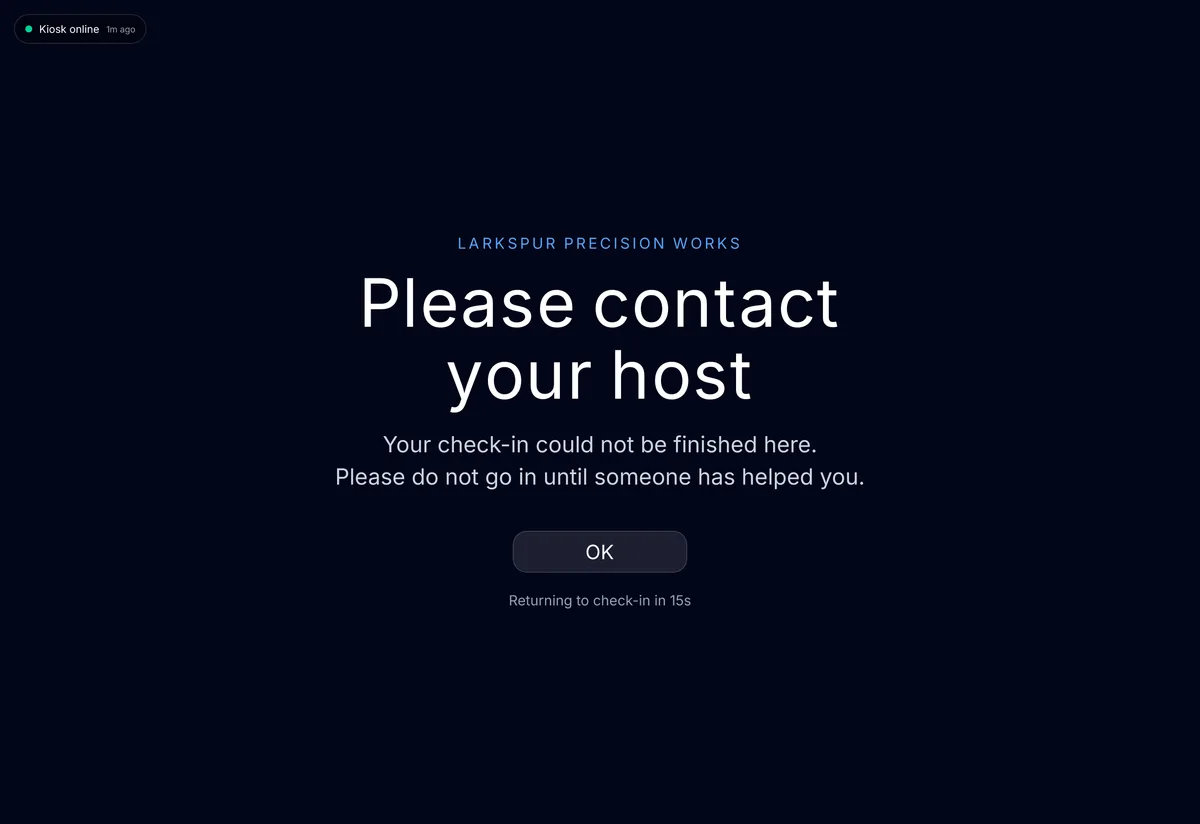
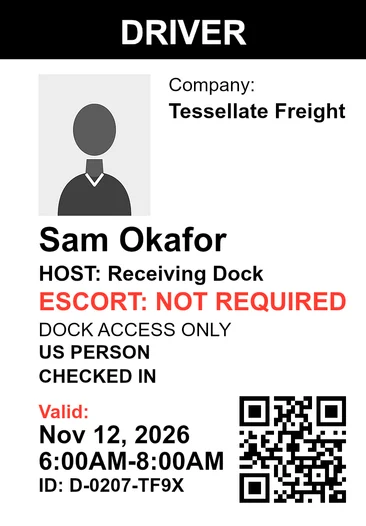
- Signed, timestamped visitor record
- Captured at every check-in.
- Restricted-party screening
- Government sanctions and denied-party lists, before a sensitive-area visit is approved.
- Not a NICS check
- SecurePoint does not determine firearms-prohibited status.
- Escorts and badge status
- Escort assignment and badge status for restricted areas.
- Append-only audit trail
- Hash-chained, with a verifier. Application users can't edit or delete it.
- Export by date range or site
- A visitor CSV, or an evidence pack with SHA-256 checksums.
What SecurePoint records at check-in.
Who came, why, who approved them, and an electronic signature, backed by the append-only audit trail. And the two things it does not do.
| Record | Status | What it means |
|---|---|---|
| Who came, and when | Recorded | Visitor, host, stated purpose, and check-in and check-out times. |
| Electronic signature | Recorded | NDAs and safety acknowledgements, signed during check-in. |
| ID capture | Recorded | Visitors photograph their government-issued ID, front and back where your site asks for both. Your staff and hosts confirm who the visitor is, as your procedures require. |
| Screening and review | Recorded | The screening result, and any reviewer decision with its reason. |
| Escort and badge | Recorded | Escort assignment and badge issuance for restricted areas. |
| NICS background check | Not done | SecurePoint does not run NICS checks and has no access to NICS. |
| Bound book and Form 4473 | Not replaced | SecurePoint is neither, and does not replace them. |
A possible match waits for a reviewer.
Screening against government sanctions and denied-party lists runs before a visitor is approved for a sensitive-area visit. A possible match is held for a documented decision, and the reviewer and their reasoning are kept with the visit.
This is not a NICS background check and does not determine firearms-prohibited status.
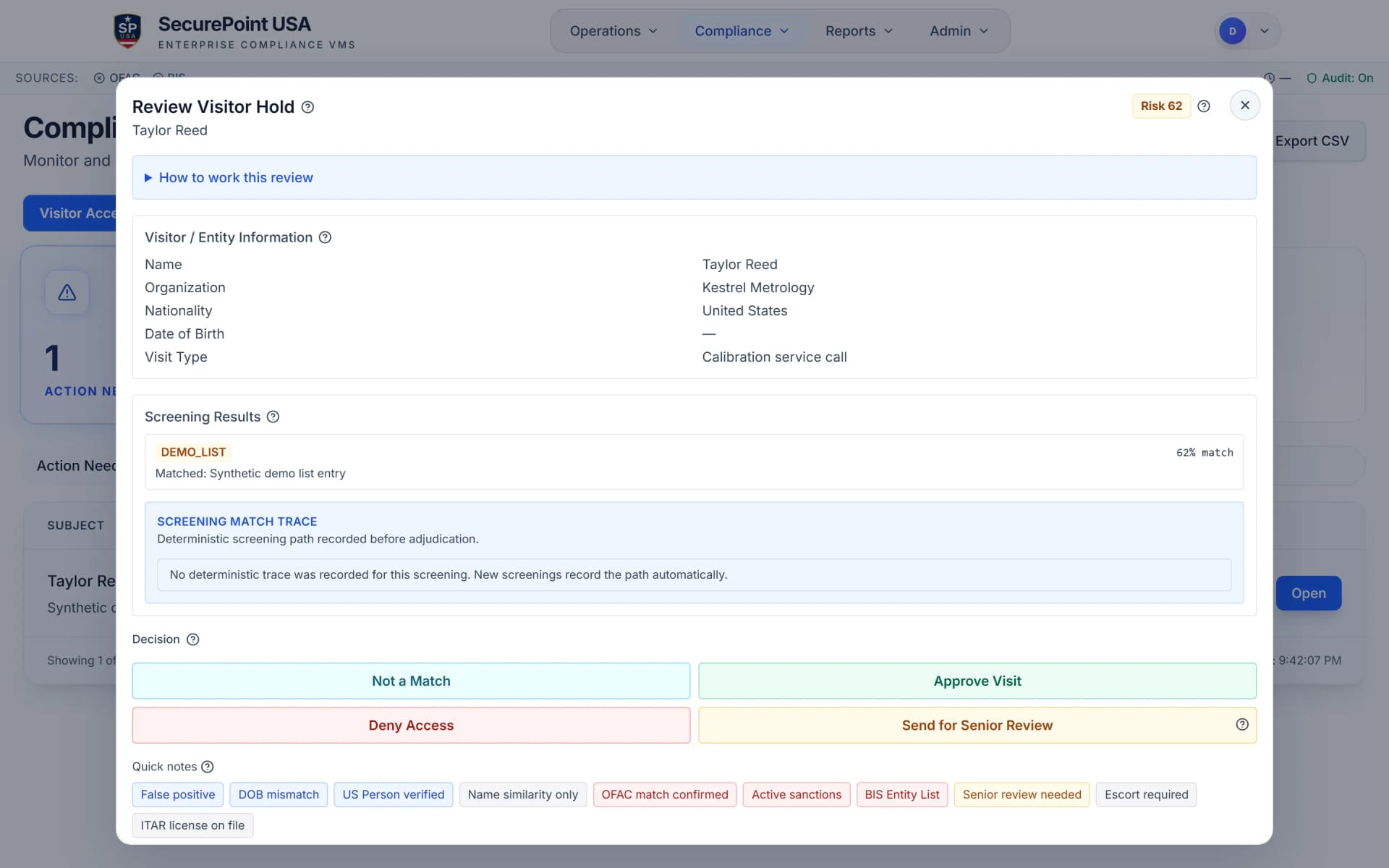
Export when someone asks for the record.
Administrators export the record directly, without reassembling it from separate systems.
A date range, a site, one export.
Export the visitor list as a CSV for any date range, with a row for each visit. Or build an evidence pack for a date range and site: screening results, review decisions and audit records, with an SHA-256 checksum for each file.
Behind both sits an append-only, hash-chained audit log that application users cannot edit or delete, with a verifier that checks the chain.
By default, only org admins and compliance managers can export. Auditor accounts can search and open visits.
Read the transcript
Step 1. Open Reports Overview, then Visitor audit. Each row is one visit.
Step 2. Search by name, email or company, or filter by host.
Step 3. Select the row to see its purpose, check-in and check-out times, host, and screening decision.
Auditor accounts can do all of this. By default, only org admins and compliance managers can export.
Step 4. To export the whole list, empty the search box and select Export CSV. Then select Download.
The file has a row for each visit, with check-in and check-out times in UTC.
Screen visitors at check-in. Keep the decisions on record.
Related pages
See a visit recorded, start to finish.
We'll check in a visitor, collect the signature, hold a possible match, and export the record.
Frequently asked questions
- Does SecurePoint check whether a visitor is a prohibited person?
- No. SecurePoint does not run NICS background checks and has no access to NICS. What it screens is government sanctions and denied-party lists. Those answer a different question, and one should not be substituted for the other.
- Is SecurePoint our bound book?
- No. SecurePoint is neither your bound book nor your Form 4473 records, and it does not replace them. It keeps the visitor record: who came, why, who approved them, and an electronic signature. Whether a record meets a particular request is a question for your counsel.
- Can the visitor log be edited after the fact?
- Not by application users. Visits go into an append-only, hash-chained audit log that application users cannot edit or delete, with a verifier that checks the chain.
- Which lists are visitors screened against?
- Government sanctions and denied-party sources. Which sources apply to a given site depends on your configuration and your own policy, and the sources used for a screen are recorded with its result.
- Who decides when a visitor is flagged?
- An authorized reviewer. A possible match is held for a documented decision rather than passed silently, and the reviewer and their reasoning are retained with the visit.
- Can the record be exported during an inspection?
- Yes. Administrators export the visitor list as a CSV for a date range, or an evidence pack for a date range and site, without reassembling it from separate systems.
- Does it connect to our access-control system?
- No. SecurePoint has no access-control or camera integration. It sits alongside your facility procedures and records approvals, screening outcomes and badge issuance.