
Energy and critical infrastructure
Visitor management for energy and critical infrastructure sites.
Contractors, vendors and inspectors arrive at plants, substations and control centers. SecurePoint screens each visitor before the badge prints, makes the safety briefing and NDA part of check-in, and keeps the record of every visit across your sites.
Pictured: the kiosk and a badge printed by SecurePoint, from a demo organization with fictional visitors.
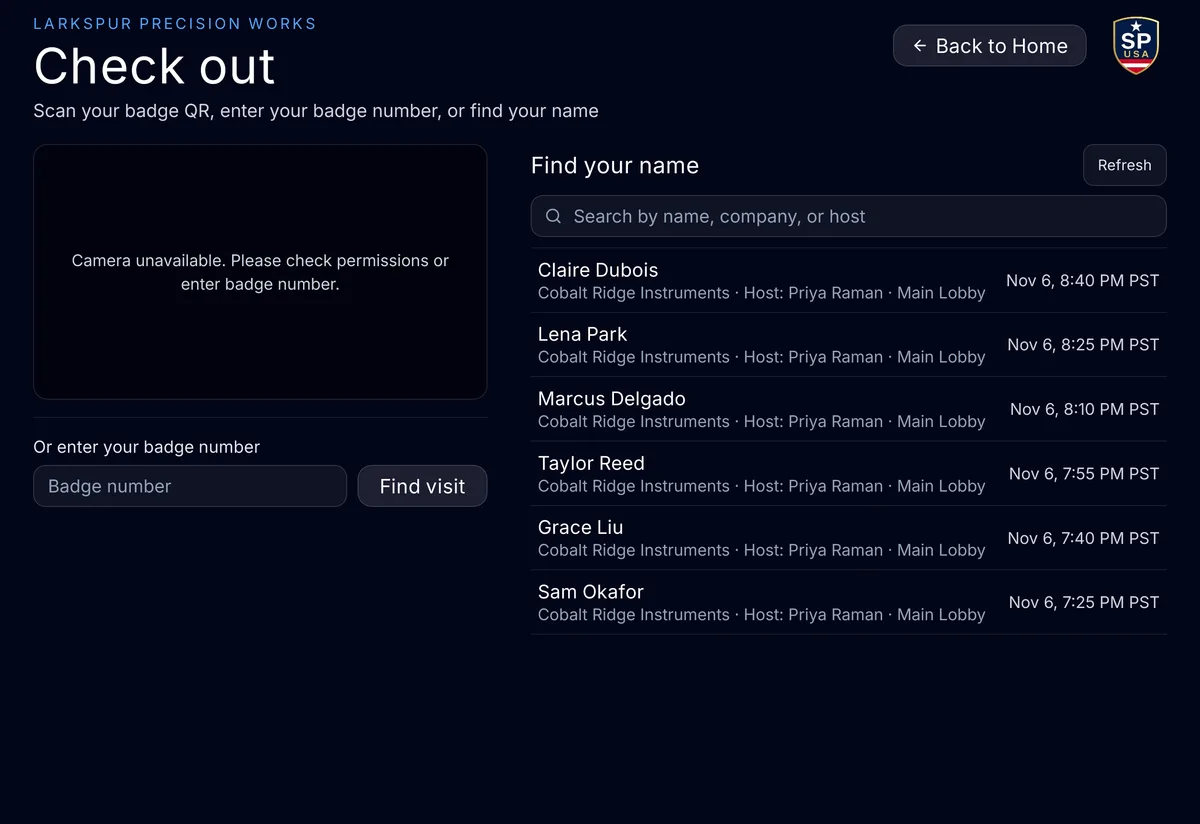
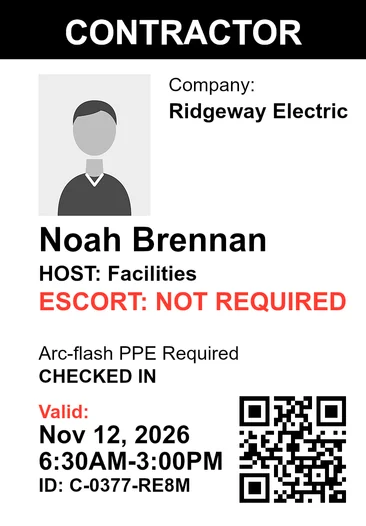
- Screened before the badge prints
- Against OFAC, BIS, UN, UK, EU and more, when a visitor registers or at the kiosk.
- Safety briefing before the badge
- A site, a visit purpose or a visitor type can require the briefing or NDA.
- Holds rather than passes
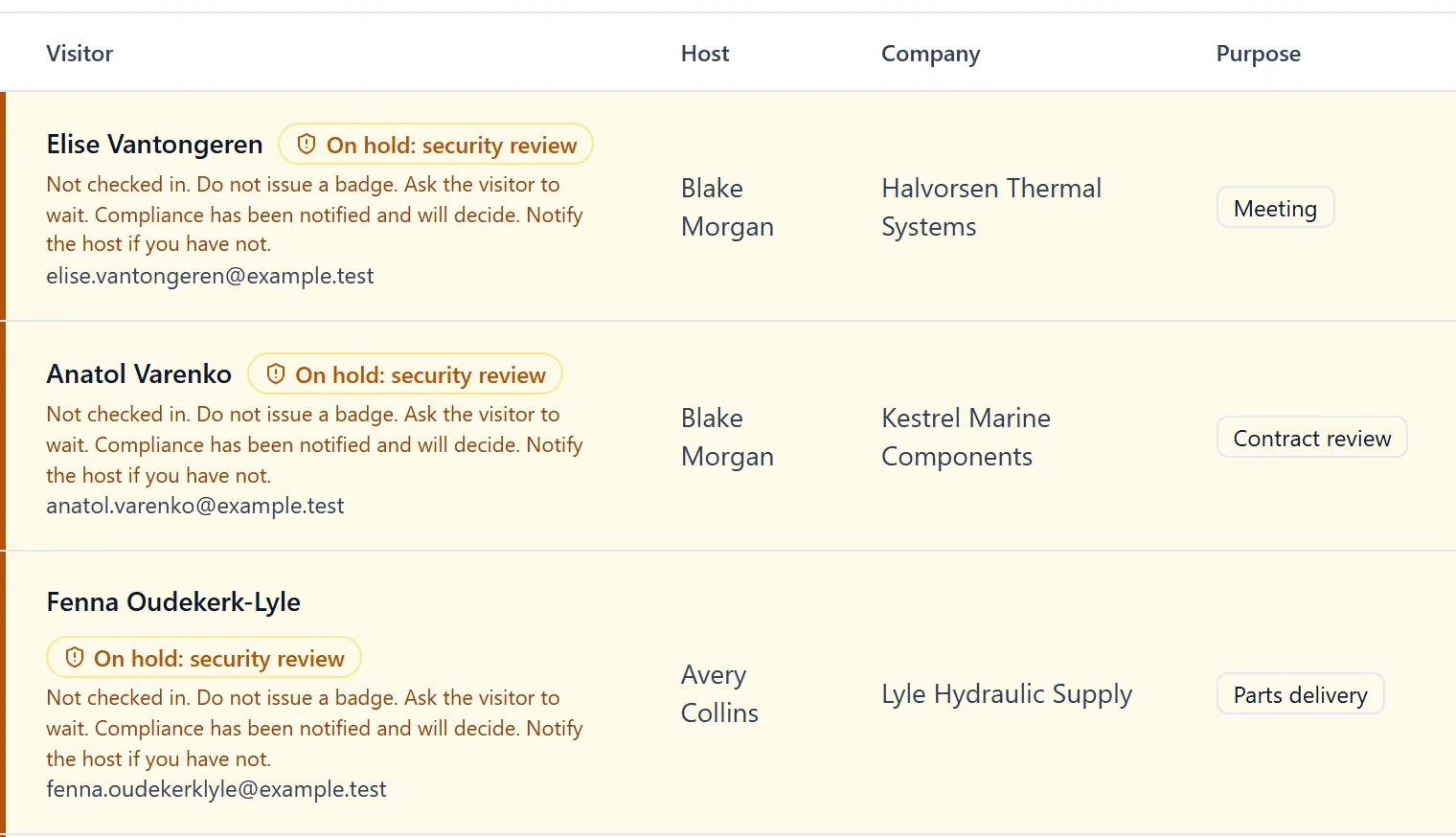
- Screening that can't finish, or a possible match, holds the visit for a person.
- Each site, its own steps
- Plants and substations set their own requirements under one organization.
- Append-only audit trail
- Hash-chained, with a verifier. Application users can't edit or delete it.
- Sign-in controls
- Microsoft Entra ID sign-in, MFA by organization policy, and a read-only auditor role.
Safety briefings and NDAs, before the badge.
Admins switch the visitor agreement and safety briefing on for a site or a visit purpose, and at kiosk check-in a visitor type can require them too.
The badge waits for the briefing.
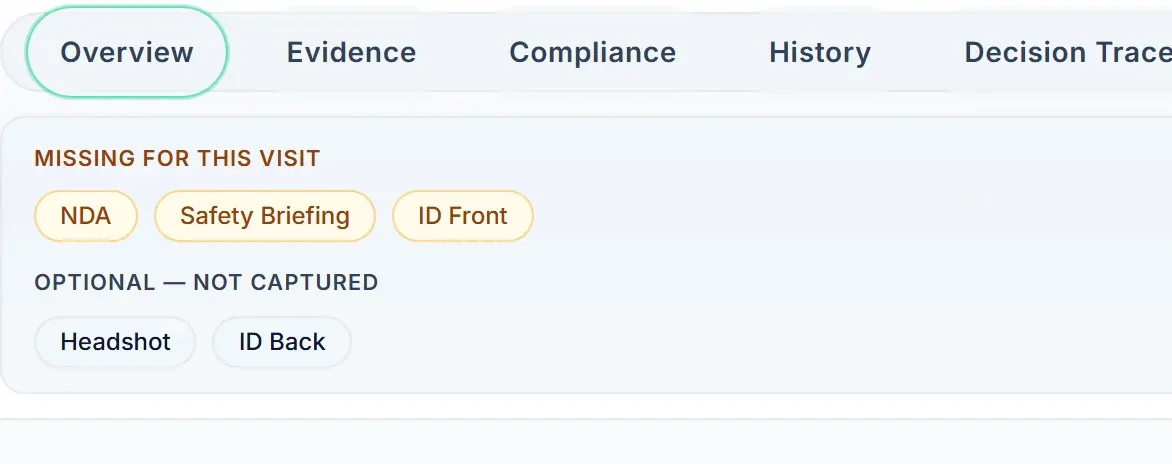
Visitors acknowledge the briefing and the NDA when they register, or at check-in when the site requires them at every visit, and sign at the kiosk, on their phone or at the desk. Until the required steps are on the visit, the badge does not print.
Only a staff role allowed to override can print past a missing step, and it takes a written reason.
Watch it set up and signed.
The film follows an admin switching the documents on, and a visitor signing them before the badge prints. Each acknowledgement is recorded against the visit.
Read the transcript
Admins set one NDA and safety briefing for the whole organization, and add exceptions for a site or a visit purpose.
Before a change makes kiosks refuse visitors, or stops asking for a step, the page names the sites it affects.
Hosts can add them to an invite. The visitor acknowledges them while registering, or at check-in when the site requires them at every visit.
At sites that turn it on, visitors who list U.S. citizenship attest they're a U.S. person. Others acknowledge their visit may need an escort and more review.
At the kiosk, signing stays locked until the visitor reaches the end of the agreement, and the safety briefing comes next.
At the front desk, visitors can sign on their own phone or right at the desk, with a typed or drawn signature.
The signature is saved with the visit, along with the name they gave and the time, and staff can open a receipt.
And if a required step is missing, the front desk sees what's still needed before the badge can print.
SecurePoint Visitor. Screen visitors at check-in, and keep the decisions on record.
Many sites, one organization.
Each plant, substation or control center is a site with its own security profile: host approval, ID capture, an NDA or safety briefing, an escort.
The front desk sees who is on site.
The desk sees who is on site, who is expected today and who is waiting on a review. When a cleared visitor checks in, their host gets an email. Check-outs are recorded with the time, and with the staff member when the desk checks a visitor out.
For your security review.
Each line says whether a control is built in, documented, or still planned. SecurePoint has no CCTV or access-control integration. It records the visit.
| Area | Status | What it means |
|---|---|---|
| Sign-in and access | Built in | Microsoft Entra ID single sign-on on every plan, MFA enforced by organization policy, and role-based permissions. |
| Hosting and data | Built in | The application runs on Vercel and the database on Supabase, both in U.S. West regions. Each organization's data is separated by row-level security. |
| Audit trail | Built in | Append-only audit log, SHA-256 hash-chained, with an integrity check every day. |
| Record retention | Built in | Screening and review records can't be deleted for 10 years. |
| SOC 2 Type II | Not certified | Controls are mapped to the Trust Services Criteria. The Q3 2027 target is not a commitment. |
| Penetration test | Planned | No third-party test has been performed yet. Internal security review is ongoing. |
Related pages
Bring a contractor visit from one of your sites.
We'll check in a contractor, require the safety briefing, hold a possible match, and show the record your security team keeps.
Frequently asked questions
- Does SecurePoint make our facility NERC CIP compliant?
- No. NERC CIP compliance is a program your organization runs and is audited against. SecurePoint is one control inside it: it records who entered, who approved and escorted them, what screening ran, and what was decided. Confirm your scope with your compliance lead.
- What happens if screening cannot complete?
- The visit holds rather than passes. A screen that cannot run, or a possible match nobody has decided, does not become an approval by default.
- Who decides whether a flagged contractor gets access?
- An authorized reviewer, not the host and not the front desk. A possible sanctions or restricted-party match routes to the adjudication queue, and the decision and its reasoning are recorded against the visit.
- Can records be produced for one site and date range?
- Yes. Evidence packs are generated against the sites and date range you choose, so a review covering one facility and one period does not require exporting everything.
- Does SecurePoint connect to our access-control or camera systems?
- No. SecurePoint has no CCTV or access-control integration and does no location tracking. It records the visit: who came, who approved and escorted them, what screening found and what was decided.
- Is our visitor data separated from other organizations?
- Yes. Each organization's data is separated by row-level security. The application runs on Vercel and the database on Supabase, both in U.S. West regions.