
Defense contractors
Visitor management for defense contractors.
For primes and their suppliers: every visitor is screened before a badge prints, a possible match waits for a person, and foreign nationals are escorted at ITAR sites. Each decision is kept for your FSO, your prime's review or a CMMC assessment.
Pictured: a U.S.-person attestation at the kiosk and an ITAR badge printed by SecurePoint, from a demo organization with fictional visitors.
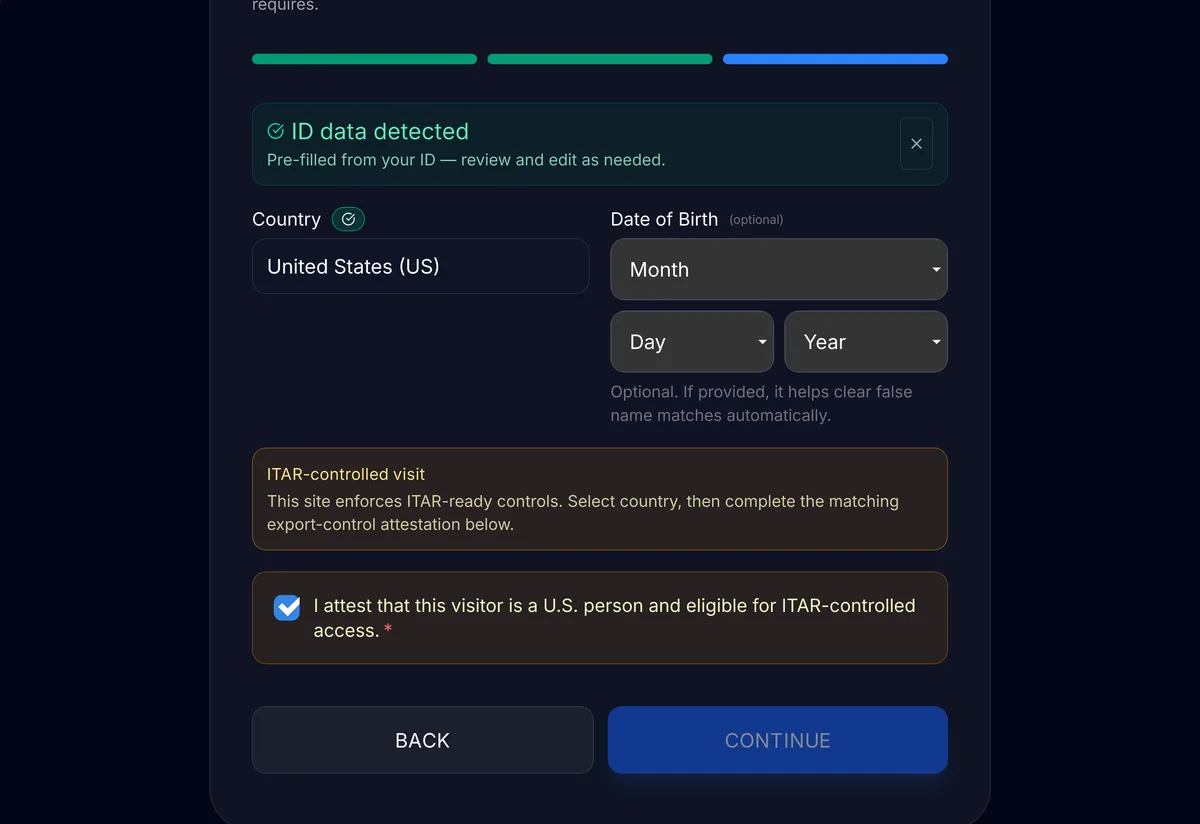
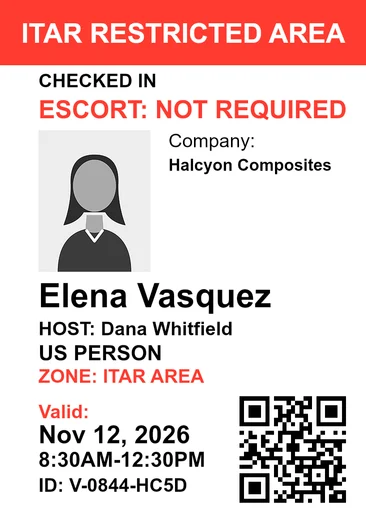
- Screened before the badge
- When the visitor registers, or at the kiosk for walk-ins.
- Held for a reviewer
- A possible match waits for a person, who records the decision and a reason.
- Escorts at ITAR sites
- The desk can't admit a foreign national until an escort is assigned.
- Append-only audit trail
- SHA-256 hash-chained, with a verifier that checks the chain.
- Evidence packs
- CMMC Level 2, DFARS 252.204-7012 and ITAR / EAR templates, with SHA-256 checksums.
- Priced per site
- Visitor plans include unlimited visitor screenings.
From invite to badge.
Hosts invite visitors ahead of time, and walk-ins check in at the kiosk. Either way, screening runs before the badge prints.
Hosts pre-register their visitors.
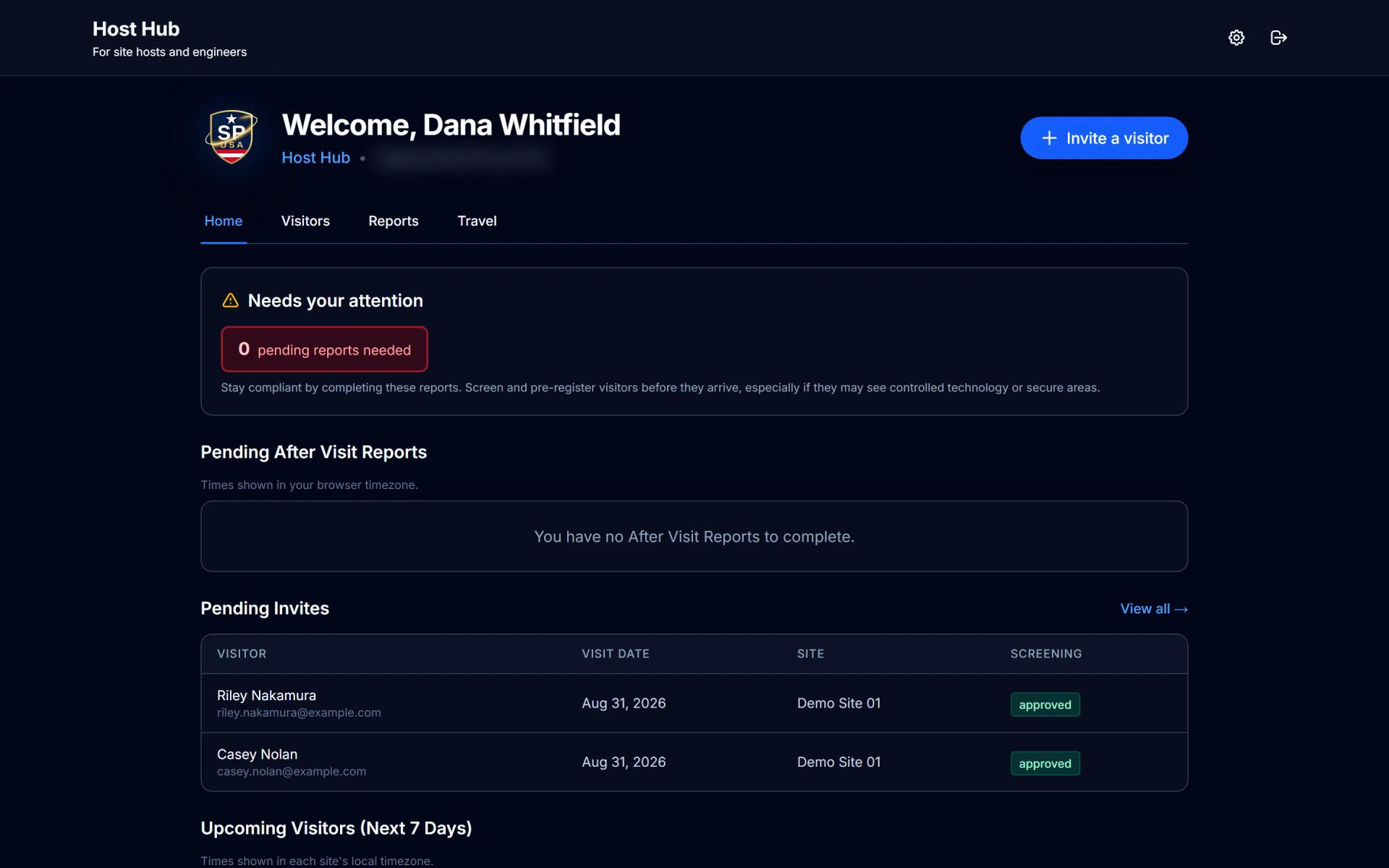
Hosts invite visitors from Host Hub. The visitor registers on their phone and is screened when they submit, so a name that needs a closer look reaches a reviewer before the visit. Once cleared, the visitor gets a QR code by email, and the front desk sees them under Expected Today.
Walk-ins scan their photo ID at the kiosk, pick their host and are screened before the kiosk checks them in.
A visit, start to finish.
A host invites a visitor, the visitor is screened when they register, and the kiosk checks them in. A possible match holds the visit until a reviewer decides. When the checks clear, the host is told and the badge prints.
Read the transcript
At a defense plant or any regulated site, the front desk should know who is walking in, screen them, and keep a record of every decision.
A host invites their visitor ahead of time. When the visitor fills in their details, SecurePoint screens them against U.S. and international sanctions and restricted-party lists.
Once they're cleared, a QR code arrives by email.
At the lobby kiosk, they scan the code and their ID, sign the visitor agreement, and take a badge photo.
If a name looks like a possible match, the visit is held until a reviewer decides, and their reason goes on the record.
When everything checks out at check-in, the host gets an email that their visitor has arrived, and the front desk prints the badge.
Every check-in, screening result and decision is logged, so when an auditor asks, you can export the evidence.
SecurePoint Visitor. Screen visitors at check-in, and keep the decisions on record.
Cleared, held for a reviewer, or denied.
The desk sees one of three outcomes, so nobody at the counter has to interpret a regulation. Policy decisions stay with your compliance program.
The desk sees who is on site and who is held.
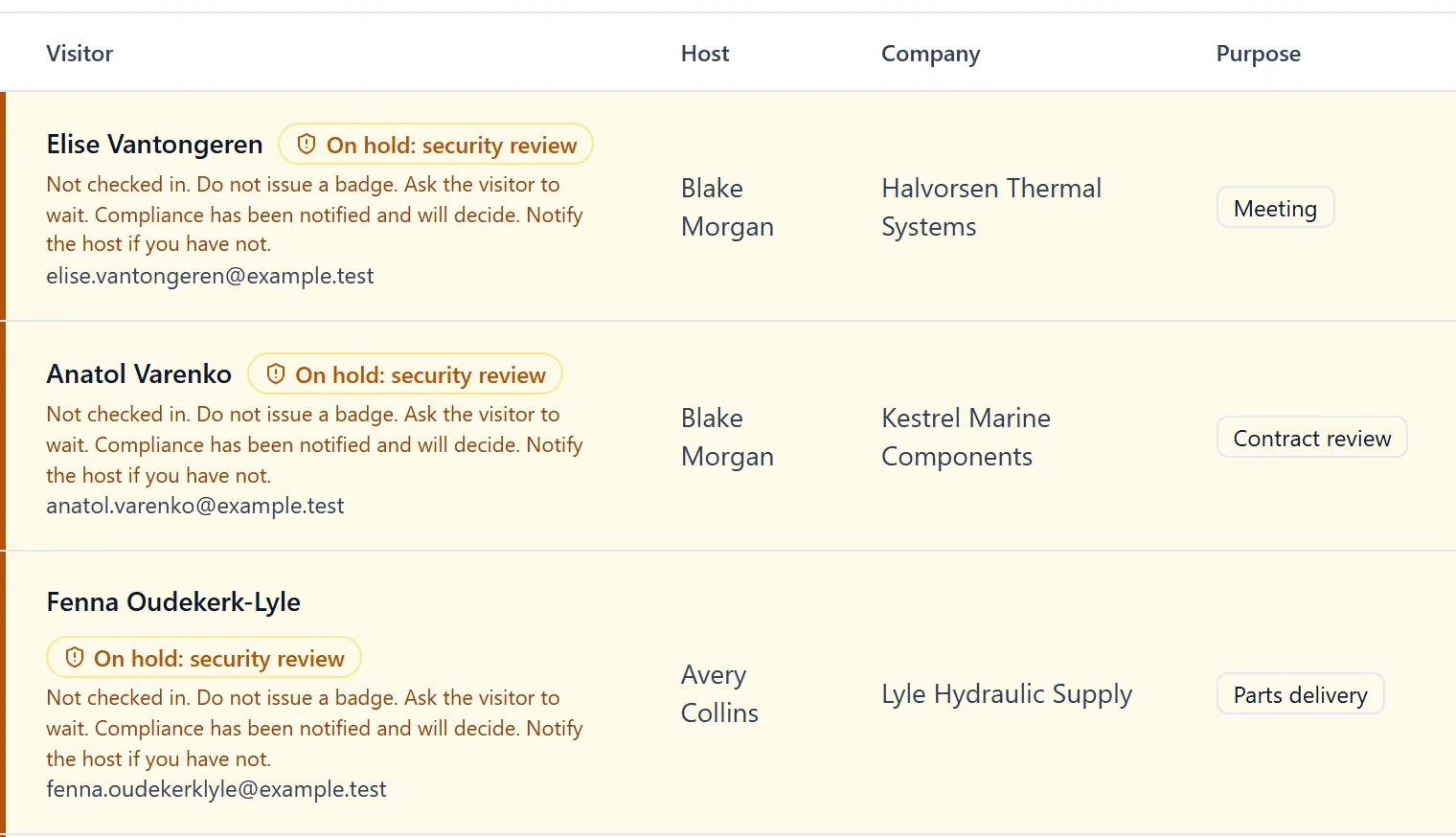
The Front Desk dashboard lists who is on site, who is expected today and who is held for review, and flags overdue check-outs. A visitor with no possible match is cleared. A possible match is held for a reviewer, who records the decision and a reason. A denied visitor gets no badge.
No badge until the required steps are done.
A badge is only available once the visitor is checked in and approved. If the site requires an NDA, a safety briefing or a photo of the ID and it's missing, the badge is refused and the desk sees what's still needed.
Only a staff role allowed to override can print past a missing step, and it takes a written reason. A required escort can't be skipped that way.
Read the transcript
A badge is only available once the visitor is checked in and approved.
While a possible match is under review, the visitor is asked to see a staff member, and the badge stays unavailable.
Here, the visitor agreement and a photo of their ID are missing, so the badge is refused, and the desk sees what's still needed.
Once those steps are done, the badge is available.
SecurePoint Visitor. Screen visitors at check-in, and keep the decisions on record.
Going live.
We set it up with you, site by site. The timing depends on your sites and is agreed with you. Visitor plans are priced per site, with unlimited visitor screenings.
- 1
Set up
Your organization and sites, and each site's security profile: host approval, ID capture, NDA or safety briefing, and escort rules.
- 2
Configure and test
Host notifications, the SecurePoint Kiosk app on an iPad or Android tablet, badge printing on a Brother QL-820NWB, then test screenings with your team.
- 3
Go live
Train hosts, the front desk and reviewers, and turn on evidence exports.
Related reading
See if it matches how your sites run visitors.
We'll walk through a pre-registered visit, a walk-in, a held match and the evidence pack, mapped to your ITAR, CMMC and export-control processes.
Frequently asked questions
- Does this apply if we sell to a prime, not to the government?
- Often, yes. Primes flow DFARS and export-control requirements down to suppliers that handle covered defense information or controlled technical data, and ITAR applies to the technical data you hold whether or not you have a federal contract. Check your purchase orders and ask your prime which requirements apply to you.
- How does SecurePoint handle more than one site?
- Each site has its own security profile: host approval, ID capture, an NDA or safety briefing, and escort rules. Visitor Audit shows visits for one site or all of them, for the date range you pick, and exports the list as a CSV.
- Can we stop keeping a paper visitor log?
- Keep one if your security plan calls for a paper backup, for example during an outage. SecurePoint keeps the screened, searchable record alongside it: who visited, who they saw, who escorted them, what screening found and who decided.
- How do front desk teams use it without compliance training?
- The desk sees one of three outcomes: cleared, held for a reviewer, or denied. A held visit waits for a reviewer, so nobody at the counter has to interpret a regulation. Policy decisions stay with your compliance program.
- What makes SecurePoint different from a generic visitor management app?
- It is built around the record a defense contractor needs: screening before the badge prints, escort and badge records, an append-only audit trail, and exportable evidence packs for CMMC physical protection reviews and ITAR and EAR visitor workflows.
- Does SecurePoint claim to be CMMC certified or FedRAMP authorized?
- No. SecurePoint does not claim CMMC certification or FedRAMP authorization. It provides visitor workflows and evidence that support CMMC, NIST SP 800-171, ITAR, EAR and DFARS programs. A CMMC assessment is made against your organization, not a vendor; SecurePoint helps document the physical-access part.
- How does SecurePoint help with NIST SP 800-171 physical protection?
- SecurePoint produces direct evidence for escorting and monitoring visitors (PE.L2-3.10.3) and for audit logs of physical access (PE.L2-3.10.4). It supports limiting physical access (PE.L2-3.10.1) and controlling physical access devices (PE.L2-3.10.5) without being sufficient for either on its own, covers PE.L2-3.10.2 only in part, and does not address PE.L2-3.10.6. Final policy decisions stay with your compliance program.