
CMMC Level 2
CMMC visitor log requirements.
CMMC Level 2 asks you to escort visitors, monitor their activity and keep audit logs of physical access. SecurePoint keeps that record: who visited, who they saw, who escorted them, what screening found and who decided, exported for the dates your assessor asks about.
Pictured: one-tap check-out at the kiosk and a visitor badge printed by SecurePoint, from a demo organization with fictional visitors.
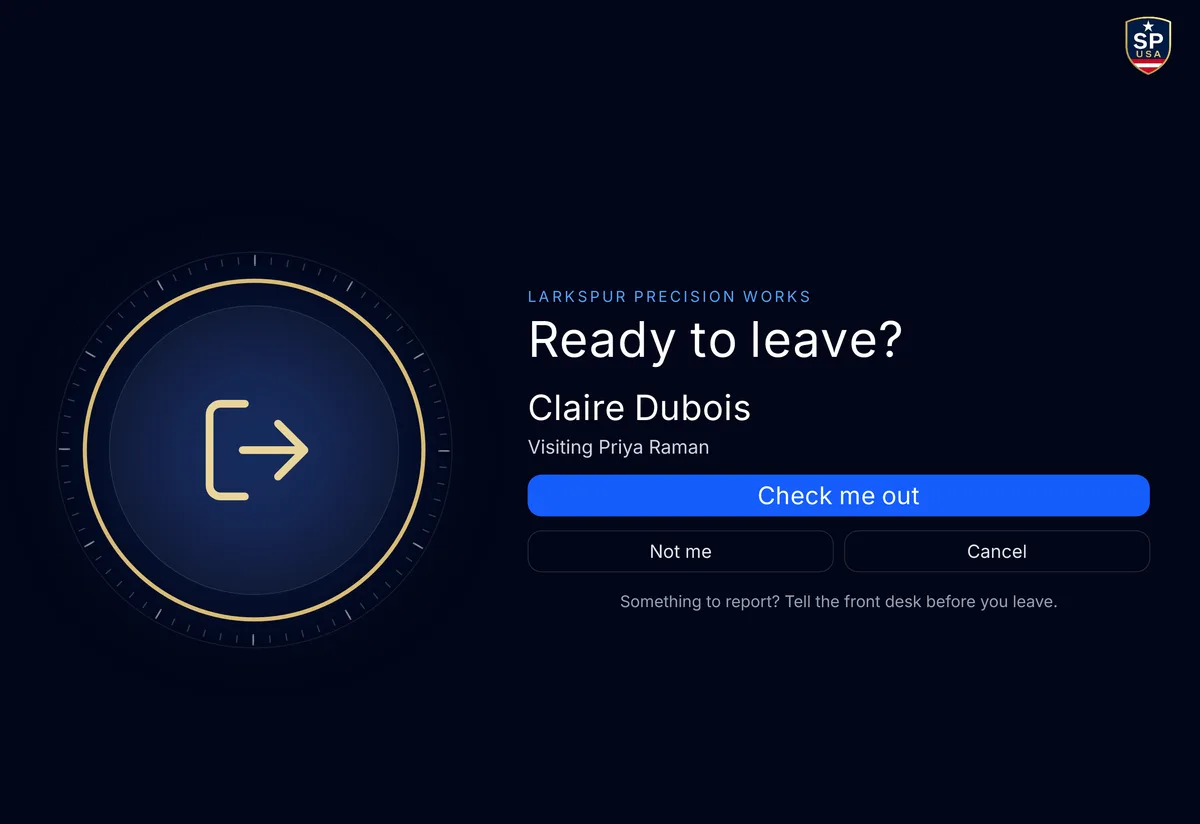
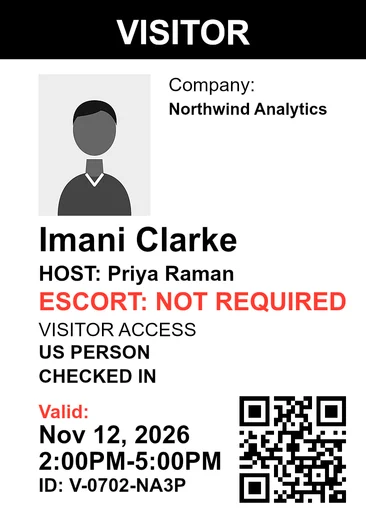
- Direct evidence for 3.10.3 and 3.10.4
- Escort assignments and the physical-access log, kept with each visit.
- Append-only audit trail
- SHA-256 hash-chained. Application users can't edit or delete it.
- 10-year decision records
- Screening and review records can't be deleted for 10 years.
- One row per visit
- Visitor Audit lists visits by date range and site, and exports them as a CSV.
- Evidence packs with checksums
- Each pack's manifest lists a SHA-256 checksum for each file.
- A person decides every match
- Name matching is fuzzy matching, not AI.
NIST SP 800-171, Physical Protection
What a CMMC visitor log has to show.
Each row names a CMMC 2.0 Physical Protection requirement and how far the visitor record goes toward it. CMMC assesses your organization, not a vendor, so no row says a requirement is met.
| The log shows | Evidence | What SecurePoint records |
|---|---|---|
| Who escorted themPE.L2-3.10.3: escort visitors and monitor visitor activity | Direct evidence | Escort assignment, start and end are recorded against the visit. At an ITAR site, the desk can't admit a foreign national until an escort is assigned. |
| Who came in, and whenPE.L2-3.10.4: maintain audit logs of physical access | Direct evidence | Check-ins, host approvals, screening decisions, badge prints and check-outs land in the append-only audit trail, and the physical access register has one row per visit. |
| Who authorized themPE.L2-3.10.1: limit physical access to authorized individuals | Supporting | Pre-registration, host approval and ID capture show who was authorized. Your facility enforces the physical boundary. |
| Which badge they carriedPE.L2-3.10.5: control and manage physical access devices | Supporting | Badge issuance is recorded against the visit. Badge return and your own credential system stay under your control. |
| Who is on site nowPE.L2-3.10.2: protect and monitor the physical facility | Partial | The Front Desk dashboard shows who is on site and flags overdue check-outs. There is no CCTV or access-control integration and no location tracking. |
| Alternate work sitesPE.L2-3.10.6: safeguard CUI at alternate work sites | Not claimed | Outside what a visitor log covers. |
Evidence packs and the audit trail.
When an assessor asks how visitors were handled, an admin picks a template and a date range in the Evidence Center.
The evidence pack, start to finish.
SecurePoint builds a ZIP of screening results, review decisions and audit records for the period, and its manifest lists a SHA-256 checksum for each file. Evidence Pack History keeps each sealed pack, so a later download is the same file.
The CMMC L2 PE Visitor Evidence template holds a physical access register with one row per visit, escort and badge records, an ID document manifest and a policy snapshot.
Read the transcript
When an auditor asks how visitors were screened, an admin opens the Evidence Center and picks a template and a date range.
SecurePoint builds a ZIP file with screening results, review decisions and audit records from that period, and its manifest lists an SHA-256 checksum for each file.
Evidence Pack History keeps each sealed pack, so a later download is the same file, with the same checksum.
The audit ledger shows who did what, and when: check-ins, screening results, reviewer decisions, and exports.
Users can't edit or delete ledger records, and exports from this page come with an SHA-256 checksum.
SecurePoint Visitor. Screen visitors at check-in, and keep the decisions on record.
Rebuild the pack for a past visit.
Find the visitor's check-in date in Visitor Audit, generate a pack whose dates cover the visit, and check its files against the checksums in the manifest.
Read the transcript
Step 1. In Reports overview, open Visitor audit, and find the visitor's check-in date.
Step 2. Back in Reports overview, open Evidence packs. Pick a template, and dates from before the visit to a few days after.
Step 3. Select Generate to download a ZIP of screening results, review decisions and audit records for those dates.
Step 4. Open the ZIP's manifest. It lists an SHA-256 checksum for each data file, so you can check each one.
Step 5. Need it again later? Select Download ZIP in Evidence Pack History. You get the original sealed file, with the same checksum.
Screen visitors at check-in. Keep the decisions on record.
Find a past visit and export the list.
Visitor Audit has one row per visit, for a date range and site. Search by name, email or company, or filter by host, then open a row for its purpose, check-in and check-out times, host and screening decision. Export CSV gives a row for each visit, with times in UTC.
Auditor accounts can search and open visits. By default, only org admins and compliance managers can export.
Read the transcript
Step 1. Open Reports Overview, then Visitor audit. Each row is one visit.
Step 2. Search by name, email or company, or filter by host.
Step 3. Select the row to see its purpose, check-in and check-out times, host, and screening decision.
Auditor accounts can do all of this. By default, only org admins and compliance managers can export.
Step 4. To export the whole list, empty the search box and select Export CSV. Then select Download.
The file has a row for each visit, with check-in and check-out times in UTC.
Screen visitors at check-in. Keep the decisions on record.
How the record is kept.
Each line says what the product does. SecurePoint supports your CMMC program; it doesn't certify it, and it doesn't file with any agency on your behalf.
| Area | Status | What it means |
|---|---|---|
| Audit trail | Built in | An append-only, hash-chained audit log that application users cannot edit or delete, with a verifier that checks the chain. |
| Record retention | Built in | Screening and review records can't be deleted for 10 years. |
| Matching and decisions | Built in | Name matching is fuzzy matching, not AI. A possible match is held for a person, who records the decision and a reason. |
| AI summaries | On by default | An AI provider named on the Subprocessors page summarizes each screened name for the reviewer after the screening is recorded, and doesn't make the decision. At a browser kiosk, an AI read of a scanned ID is also on unless the organization turns it off. |
| Sign-in and roles | Built in | Microsoft Entra ID single sign-on, MFA enforced by organization policy, and a read-only auditor role. |
| Hosting | Built in | The application runs on Vercel and the database on Supabase, both in U.S. West regions. Each organization's data is separated by row-level security. |
Related reading
Bring the date range your assessor will ask about.
We'll check in a visitor, assign an escort, and export the evidence pack and the visitor list, so you can see what an assessor would receive.
Frequently asked questions
- What are the CMMC visitor log requirements?
- CMMC Level 2 uses the NIST SP 800-171 Physical Protection requirements. For visitors, that means escorting visitors and monitoring visitor activity (PE.L2-3.10.3) and maintaining audit logs of physical access (PE.L2-3.10.4), alongside limiting physical access to authorized individuals (PE.L2-3.10.1). NIST SP 800-171 does not prescribe a format, so a log can be paper, electronic or both. Confirm with your C3PAO what your assessment scope expects.
- Which CMMC requirements does visitor management support?
- Not all of them, and not equally. SecurePoint produces direct evidence for PE.L2-3.10.3 (escort visitors and monitor visitor activity) and PE.L2-3.10.4 (maintain audit logs of physical access). It supports PE.L2-3.10.1 (limit physical access) and PE.L2-3.10.5 (control physical access devices) without being sufficient for either on its own, contributes only partially to PE.L2-3.10.2, and does not address PE.L2-3.10.6 (alternate work sites).
- Can visitor logs be used as CMMC assessment evidence?
- Yes, for the physical-access requirements in your scope. SecurePoint records each visit in an append-only, hash-chained audit log that application users cannot edit or delete, with a verifier that checks the chain, and exports it as an evidence pack with a SHA-256 checksum for each file. Whether it is enough for your assessment is your assessor’s call, so confirm your scope with your C3PAO.
- Does SecurePoint use AI to decide who gets in?
- No. Name matching is fuzzy matching, not AI. A possible match is held for a person, who records the decision and a reason. By default the screened name, company and country also go to an AI provider named on the Subprocessors page, which writes a summary for the reviewer; it does not make the decision.
- How does SecurePoint handle more than one site?
- Each site has its own security profile, and Visitor Audit shows visits for one site or all of them, for the date range you pick. Roles include org admin, compliance manager, site manager, front desk and a read-only auditor.